Confirmation and sign-in links without opening the email
Many sites don't send a code: they send a "Confirm email" button, a magic link to sign in or a link to reset the password. Until now, on saci.cc, you had to open the email and find the button. Now saci.cc finds that link when the email arrives and shows an "Open link" button right in the inbox. The same link shows up in the extension, the API, the MCP server and the npm package.
In the inbox
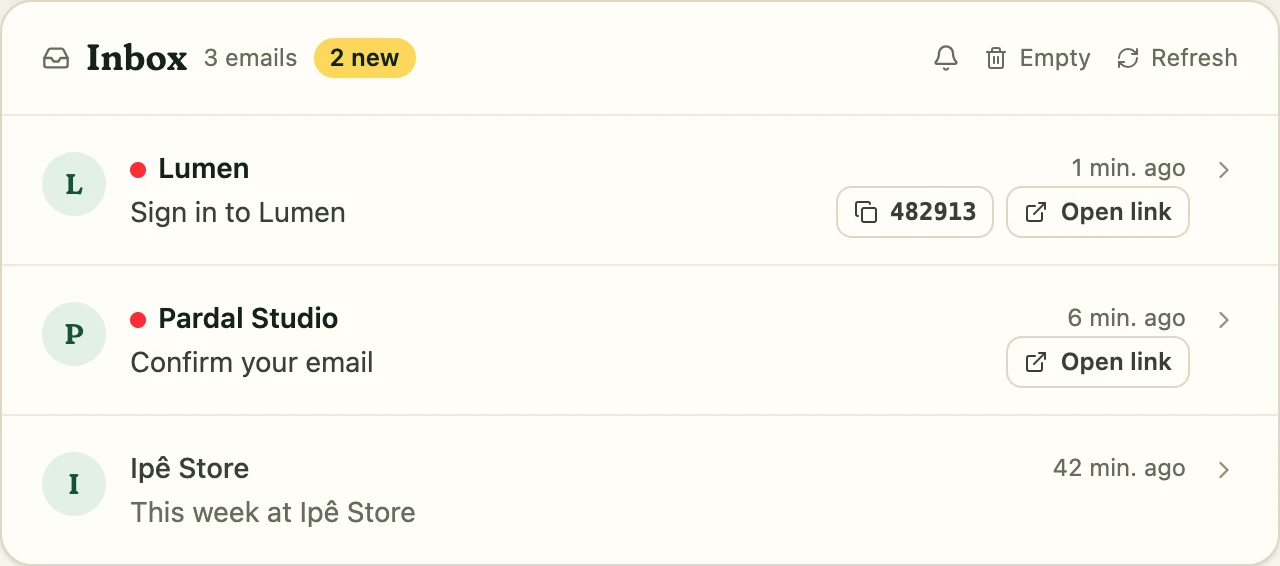
- When an email has a confirmation or sign-in link, its row in the inbox shows an Open link button. It opens the link in a new tab, without opening the email.
- The code button got better too: it used to show only when the code was in the subject. Now it also shows when the code is only in the body.
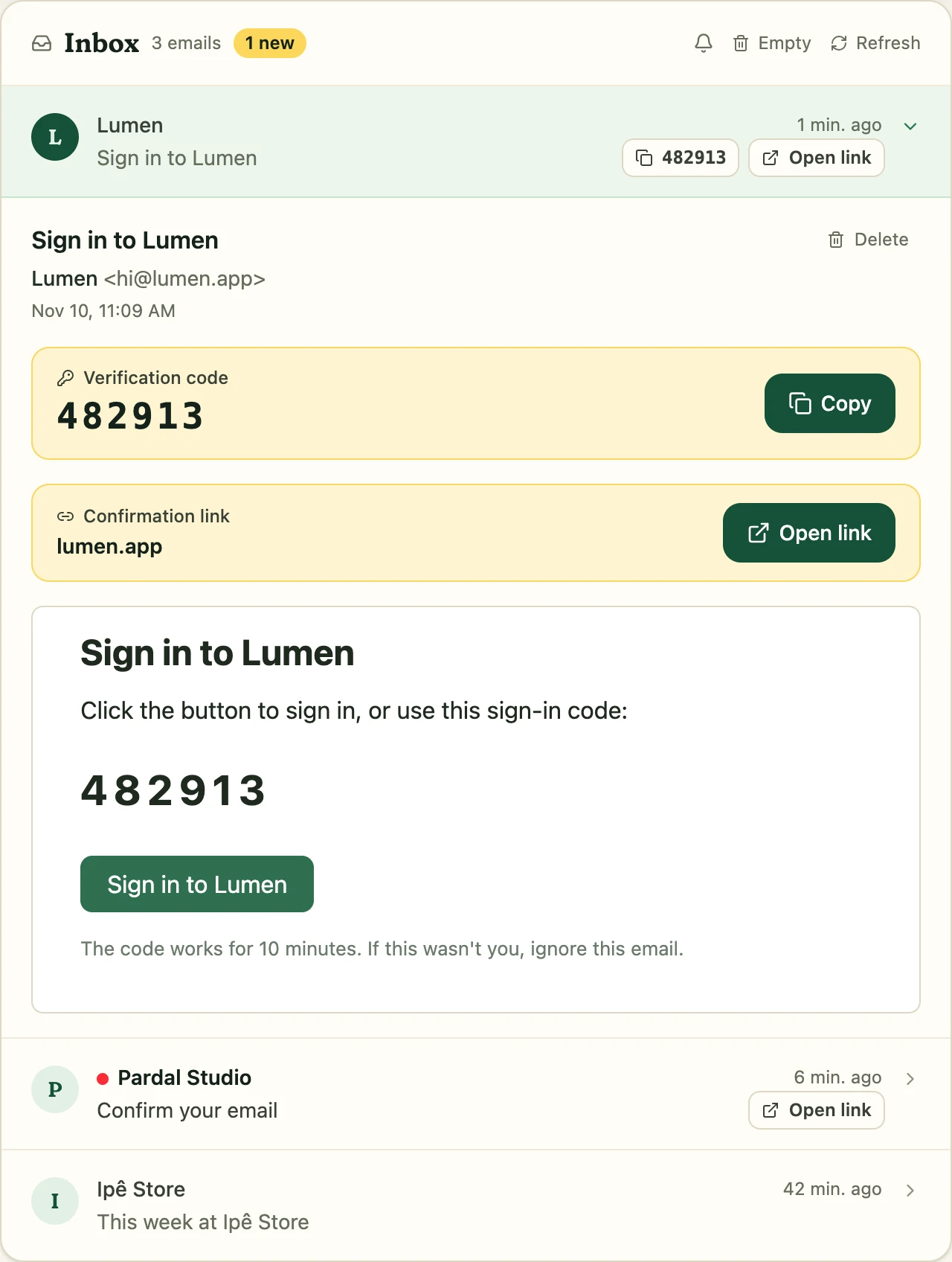
- When you open the email, the link is at the top, in a box with the domain it goes to, right below the code if there is one.
- Copying the code or opening the link from the inbox marks the email as read.
- With browser notifications on, clicking the notification for an email that only has a link opens the link.
Which links count
saci.cc looks for the link you'd click to confirm the address, sign in (magic link), activate the account or reset the password. A link counts when:
- its button text says so, like "Confirm email", "Verify", "Sign in", "Activate account" or "Reset password", in English, Portuguese or Spanish;
- or the link is just "click here" (or the URL itself) and the text right before it asks for one of those things.
Unsubscribe, help, privacy, contact, social media and "this wasn't me" links are left out. A /login link on its own isn't enough, since newsletters have one in every email.
Many email services swap links for tracking links, so the domain shown may be the email service's, not the site's. As with any email, check it came from who you expected before clicking.
In the extension
Version 1.3.0 of the extension has the same button in the popup and opens the link when you click the notification for an email without a code. Firefox updates it on its own; Chrome does it through the Chrome Web Store. If you don't have it yet, the links are on the home page.
In the API
API emails now have a verificationLink field, with the link or null. It's there when you read an email, in the inbox list and in the webhook. The list now has the verificationCode too, so you can get the code or the link without opening each email:
{
  "emails": [
    {
      "messageId": "0100019a2b3c4d5e-6f7a8b9c-...",
      "from": "GitHub <noreply@github.com>",
      "subject": "[GitHub] Please verify your email address",
      "receivedAt": "2026-10-20T15:30:00.000Z",
      "verificationCode": null,
      "verificationLink": "https://github.com/users/confirm_verification/7f3e..."
    }
  ]
}
It's all in the API docs.
In MCP
The MCP server has a new tool, get_verification_link. It waits for the email and returns just the link, the same way get_verification_code does with the code. So a request like this works even when the site sends a button instead of a code:
Create a temporary email, sign up at https://example.com with it and confirm the email.
get_email returns the verification_link too. The tools are listed on the MCP page, and the post on AI agents shows how to connect.
In the npm package
In version 1.2.0 of the saci.cc package, waitForLink() without match returns the confirmation or sign-in link. It used to return the first link in the email, which was often the logo's. If the email has no confirmation link, it still returns the first link. With match, nothing changes.
import { createInbox } from "saci.cc";

const inbox = await createInbox();
// ...sign up with inbox.address...
const link = await inbox.waitForLink();
await page.goto(link);
waitForCode() and waitForLink() also use the code and link the list already has, so they open fewer emails while they wait. The Playwright guide shows the whole flow.
If an email with a confirmation link doesn't show the button, or shows the wrong link, write to oi@saci.cc with the sender. It helps improve the detection.